Create a Recipient
Last updated: March 20, 2026
Creating a Recipient
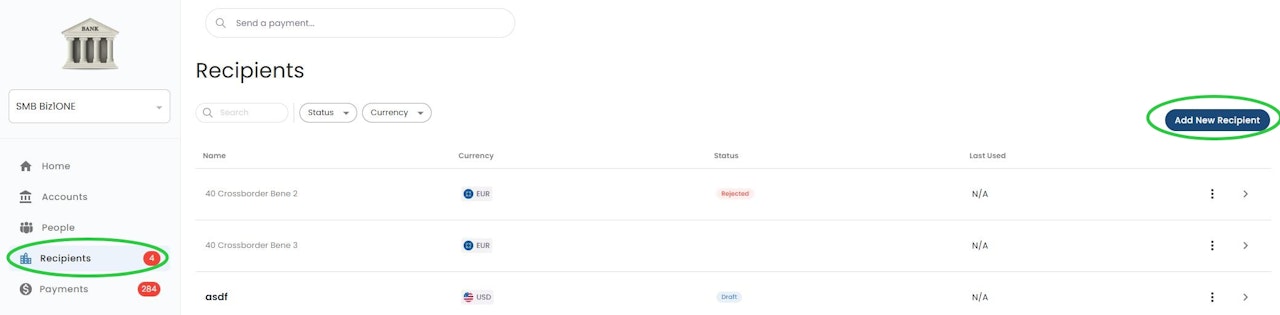
Click “Recipients” menu on the left. Then click "Add New Recipient".
Recipient Classification
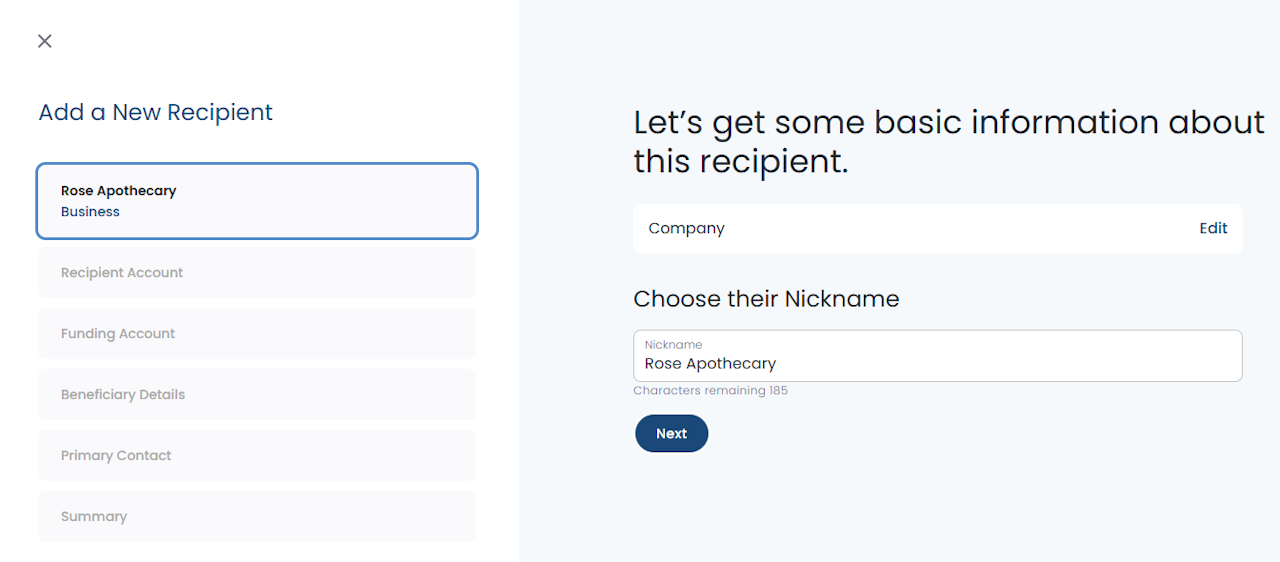
Select whether the recipient is an Individual or Company entity.
Enter a Nickname for the recipient. This is a display only name and will not impact payment delivery.
NOTE: During recipient creation, you can click into any card on the left side menu to navigate back to that section. Information is automatically saved as you go.
Recipient Details
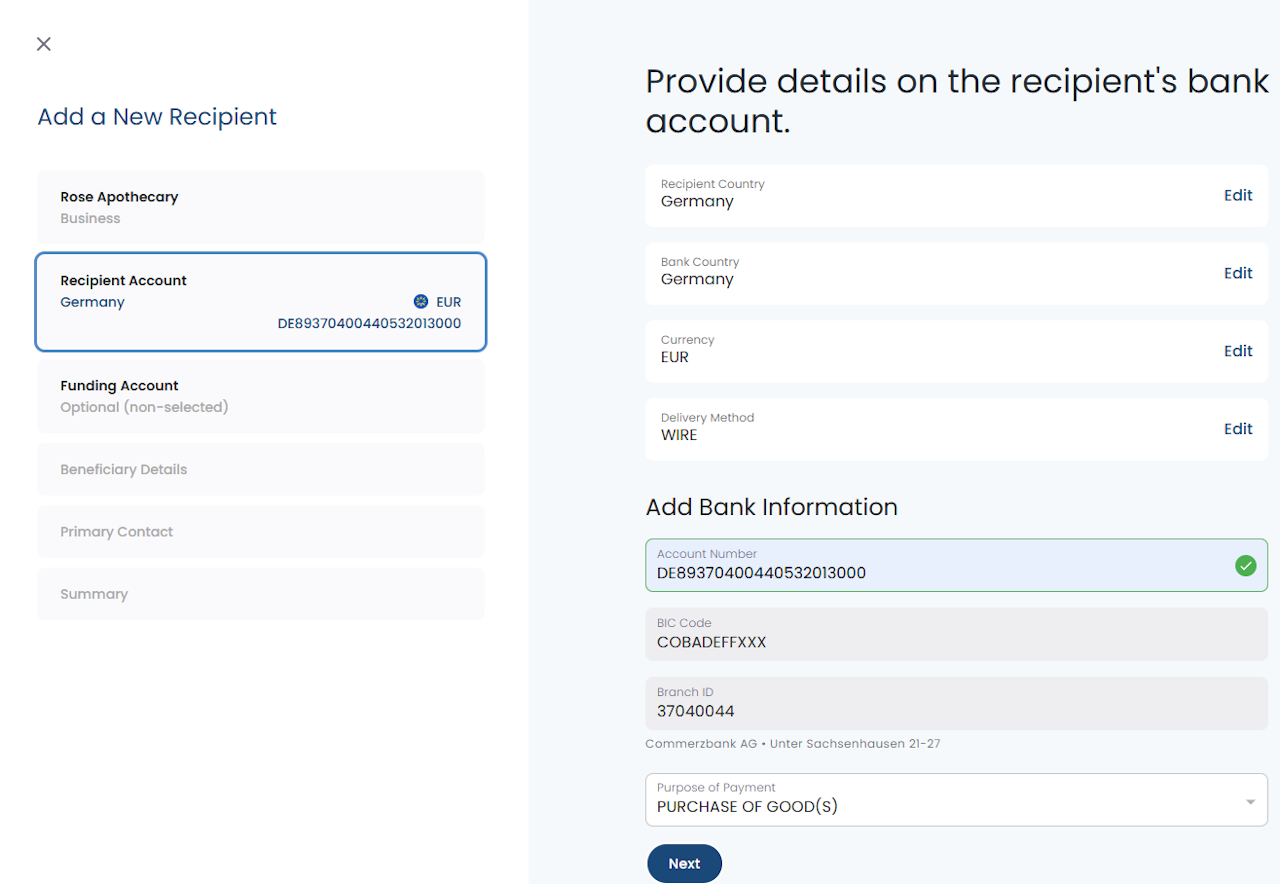
Recipient Country - Country in which the recipient resides.
Bank Country - Country in which the recipient's bank resides.
Currency - Currency the recipient will receive.
Delivery Method - SWIFT or EFT
Account Number - If the receiving country supports IBANs, we recommend using IBANs whenever possible. This will auto populate the Swift/BIC Code and the Branch Id.
Swift/BIC Code - more info in the link below
Branch Id - i.e. Sort Code, IFSC, BSB Code depending on the receiving country
Purpose of Payment - Select the most relevant code applicable to your wire.
Canadian recipients will require the following instead of Swift & Branch Id:
Institution Id
Transit Number
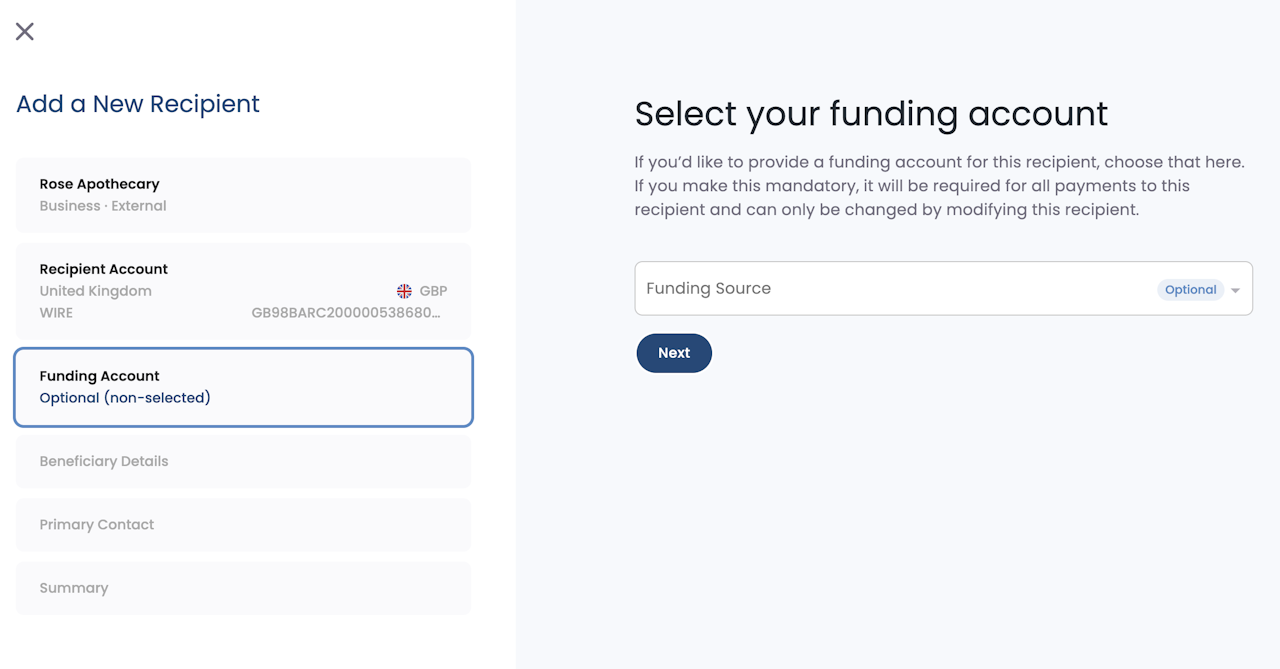
Select Your Funding Account
Selecting an account from this dropdown will make it the default funding account for this recipient. Making a payment to this recipient will default to this funding account but still allow you to change it.
If you mark Mandatory, it will require this funding account and will not allow you to choose another funding account.
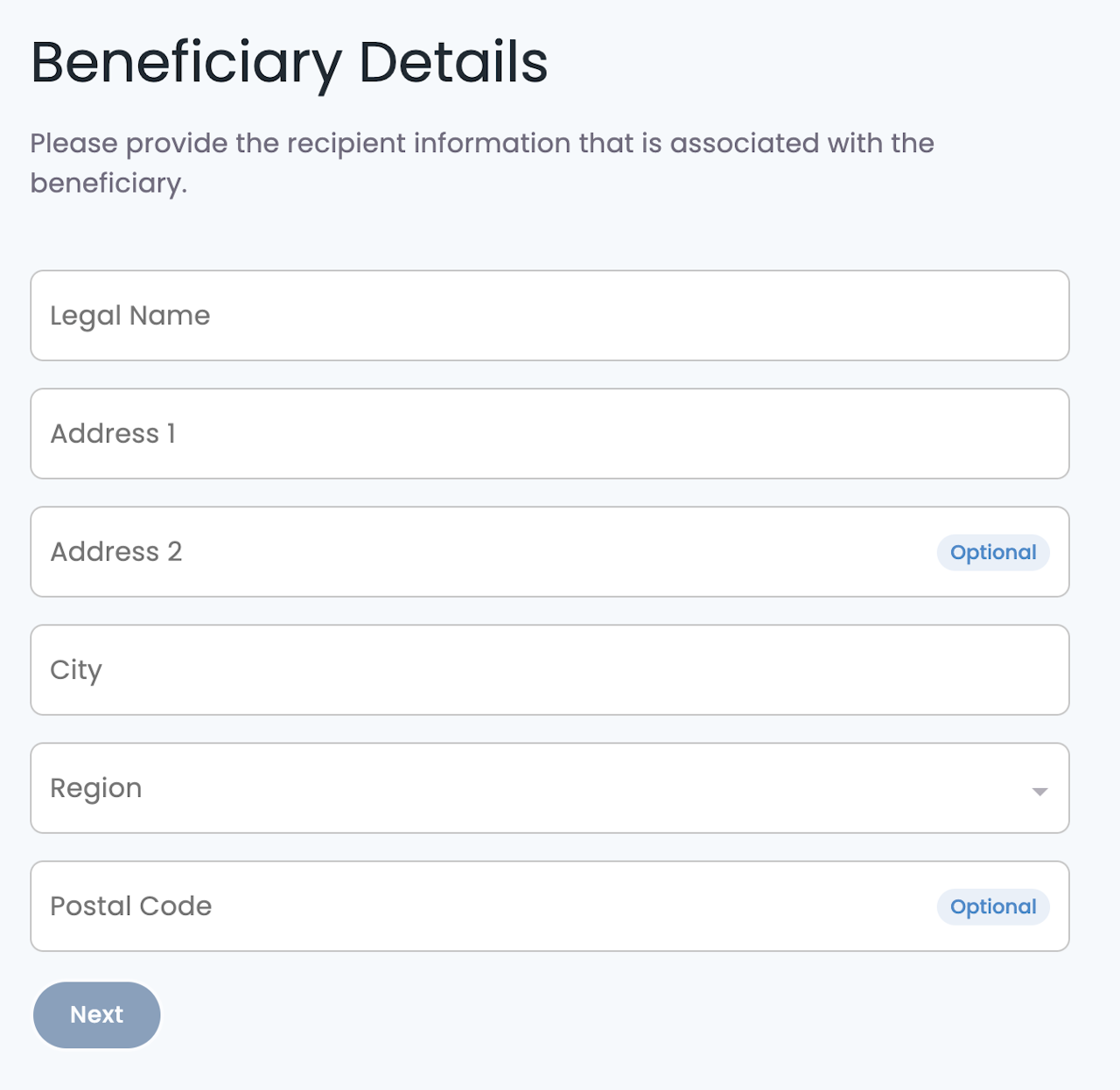
Beneficiary Details
Enter the details for your recipient. It is important to be as accurate as possible when you enter this information. Incorrect details may cause a delay in the delivery or rejection of the payment to your recipient.
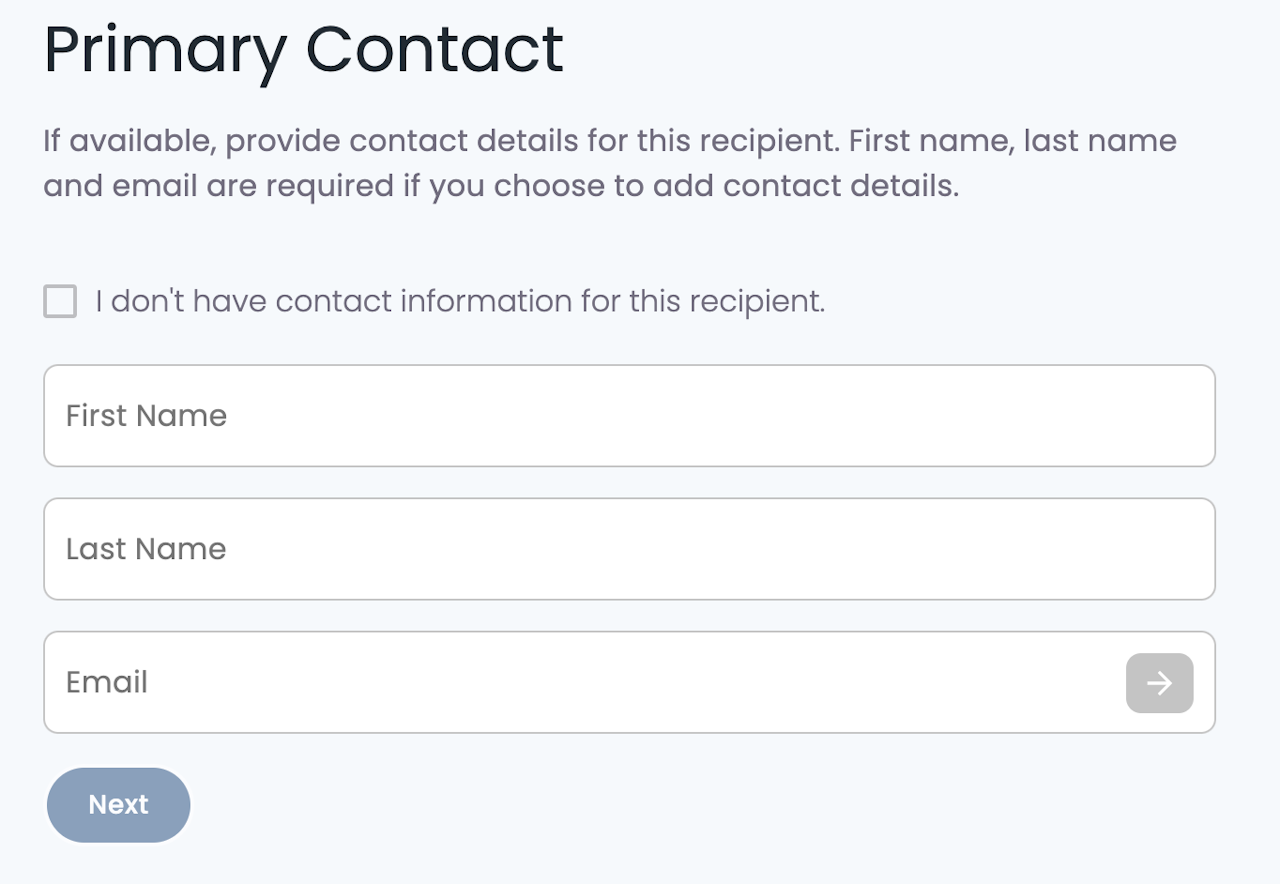
Recipient Contact Information
Provide the recipient’s contact information.
Their email will be used for a one time invitation to a portal in PayRecs allowing the recipient to view details on payments. This is an optional feature and the invitation can be disregarded if desired.
Future emails will release to notify the recipient of each payment they receive.
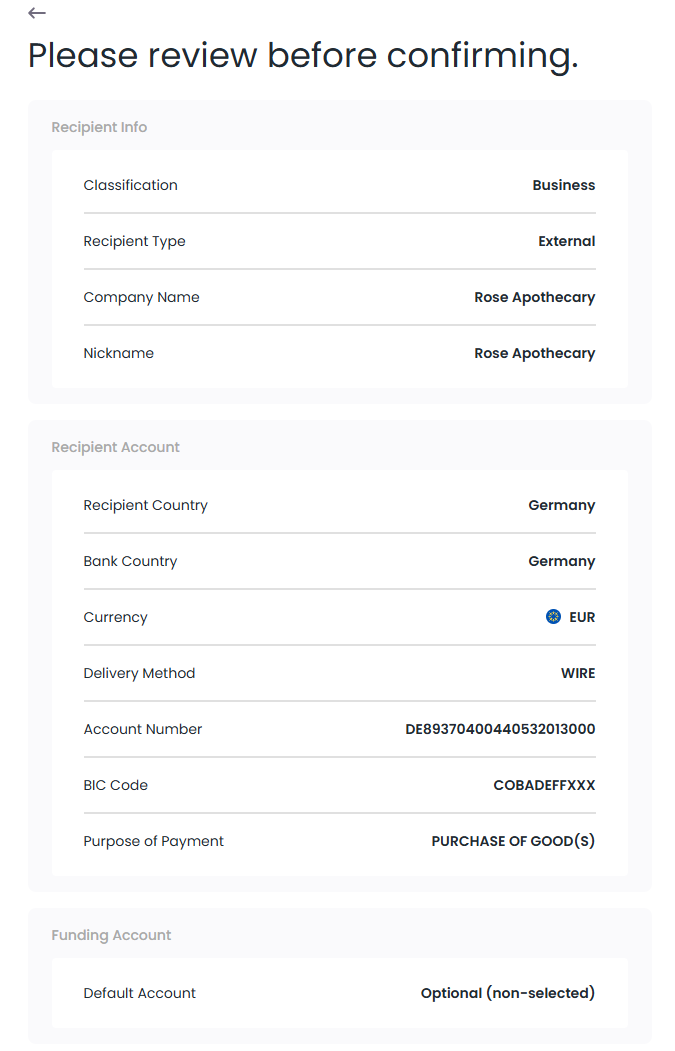
Review Summary
Review the summary of your recipient and confirm the submission of this recipient. If recipient approval is enabled, another user will need to review and approve the recipient before it is ready to receive a payment.