Approve a Recipient
Last updated: March 20, 2026
Approval Pre-Requisites
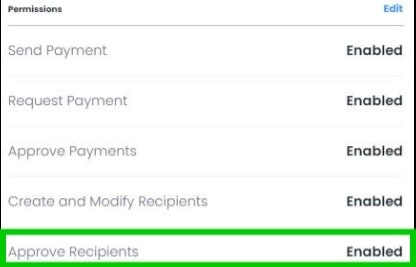
In order to approve a newly created recipient, your user will require the "Approve Recipients" permission. If your user does not have an "Approve" button in future steps, please reach out to your Account Manager to request the permission.
Select "Next" to learn how to approve recipients
Recipients Menu
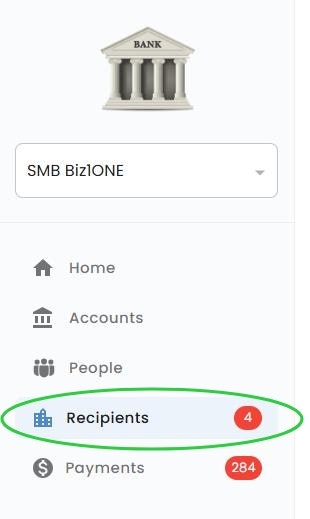
Once you're logged into PayRecs, navigate to the "Recipients" tab and ensure you're under the "Recipients" Sub-menu to view all of your recipients.
Identify Recipient
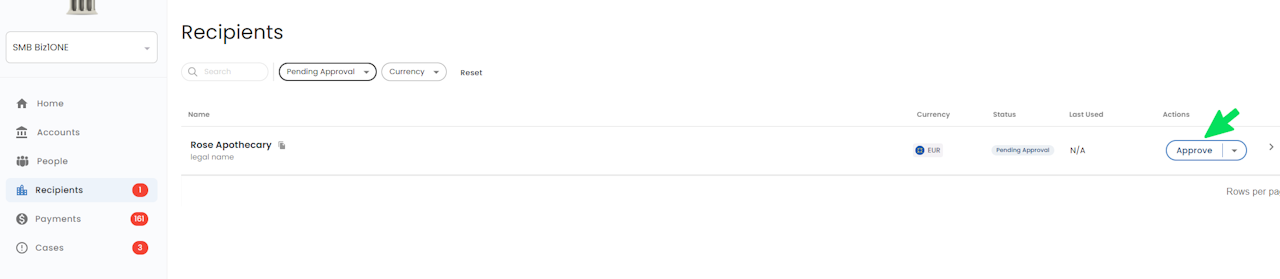
Identify the Recipient in the list that you would like to approve and select the "Approve" button.
If Approve is not present, ensure the recipient is in a "Pending Approval" state and your user is permissioned to approve recipients.
Review
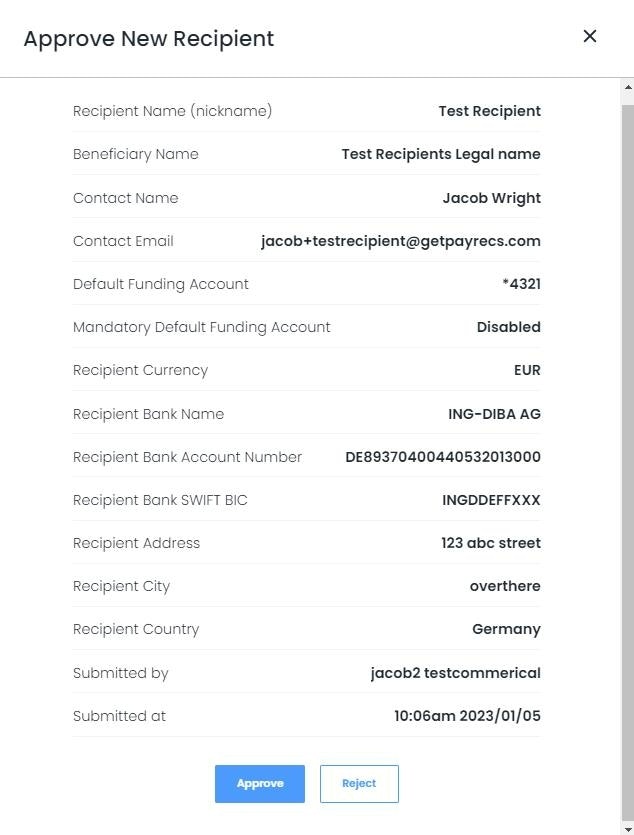
Review the details of the recipient and Approve or Reject the recipient accordingly.
If Rejected, the user who submitted the recipient will be able to select "Retry" and make any necessary edits to the recipient before submitting again.
Once approved, the recipient will change to a "Ready" status and can begin receiving payments.