Pay from Subsidiary
Last updated: March 20, 2026
How to Make a Payment from a Subsidiary
To send a payment from a Subsidiary, SSO into PayRecs from your online banking portal.
Select the Profile drop down on the top right of the screen
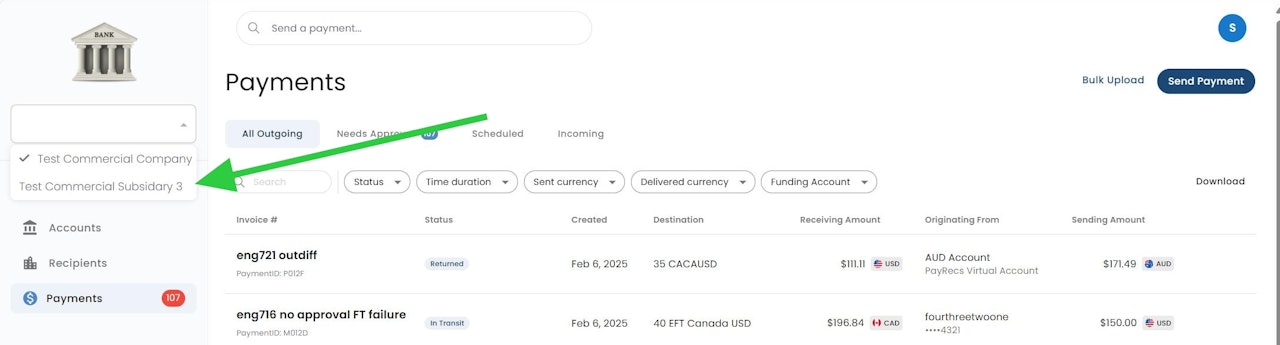
Select the Company Name in the middle of the dropdown
Select the desired Subsidiary
Now that you've selected the subsidiary, you can create recipients and payments under that subsidiary
Subsidiaries have their own dedicated recipient and payment list. If the subsidiary makes payments to any recipients that were created under the main company, they will need to be re-created under the subsidiary.