Company Limits and Permissions
Last updated: March 20, 2026
How to Edit Company Limits & Permissions for Bank Admins
As an admin user of the bank, you can edit Companies' limits and permissions within PayRecs.
If you already have "Manage Sub-Companies" enabled, select "Edit Company" below to learn how to edit company permissions. Otherwise, another admin user will need to enable the permission for you.
The "Edit Admin User Permissions" section below will help walk you through the steps.
Edit Company
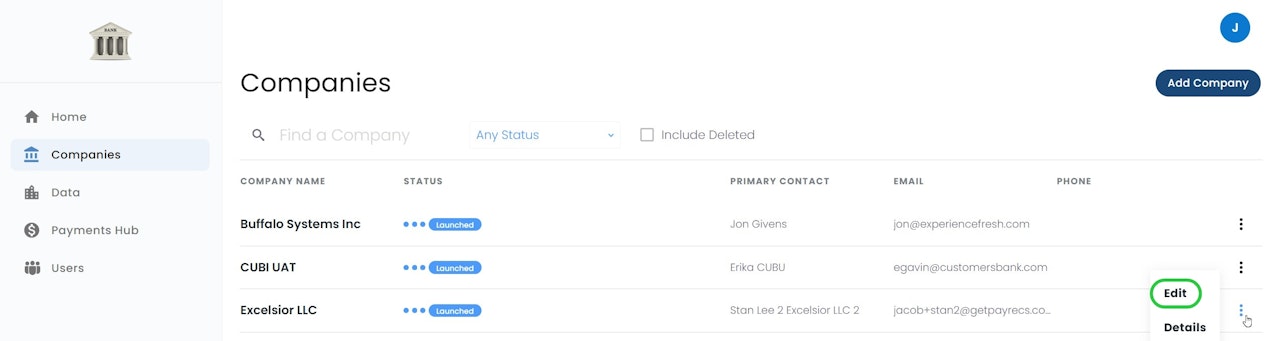
To edit a Company, select the Companies Menu.
Hover your cursor over the 3 dots on the right side of the company name, OR select the name of the Company you would like to edit, and select "Edit Company" on the right side.
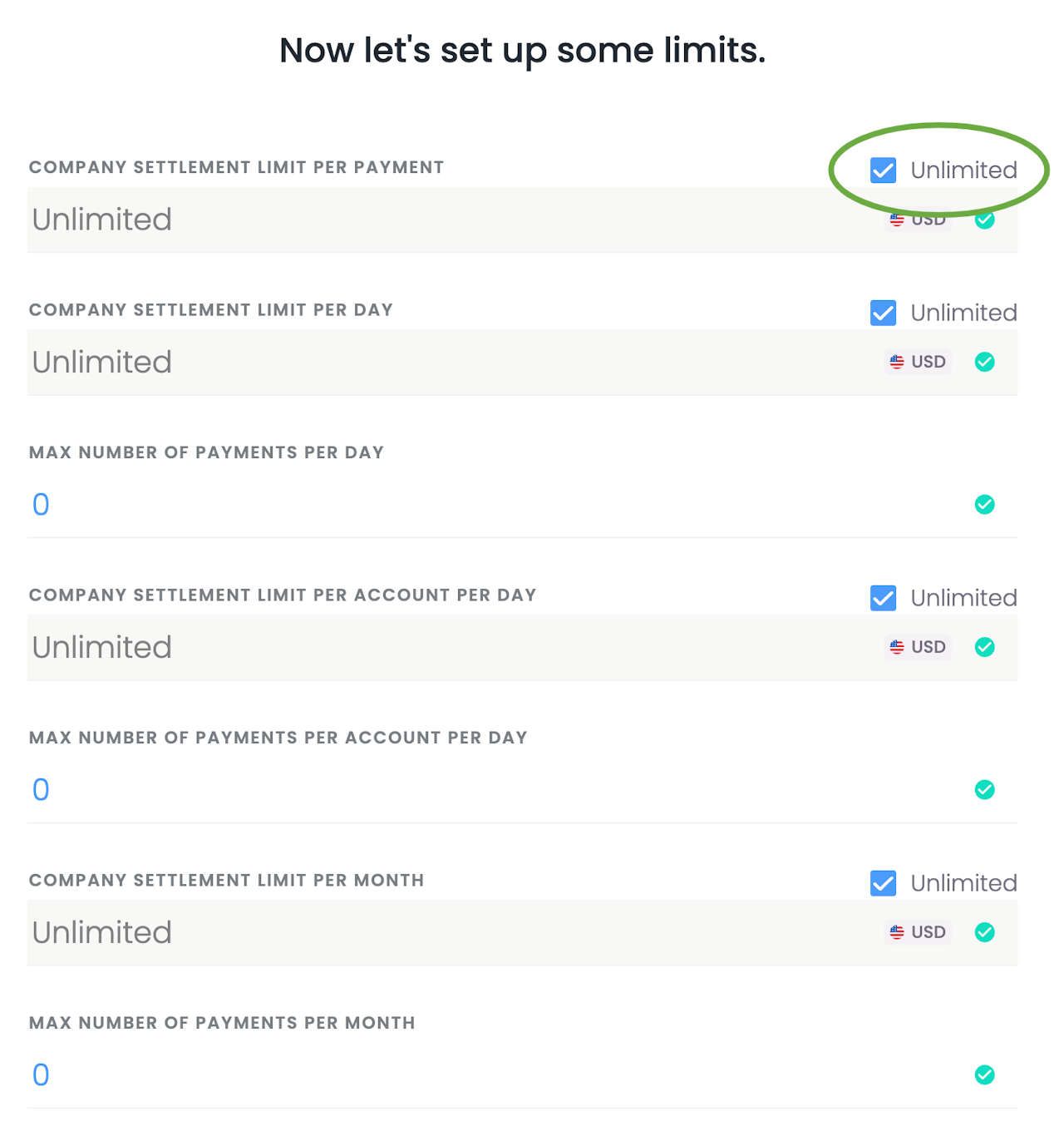
Company Limits
For each line item, you can select "unlimited" or enter a value to set a limit.
Fee Scheduling
Set your Fee Scheduling.
If you choose Detailed fees, you'll be able to set fees based on the payment scenario. Fee Types option below will cover this in more detail.

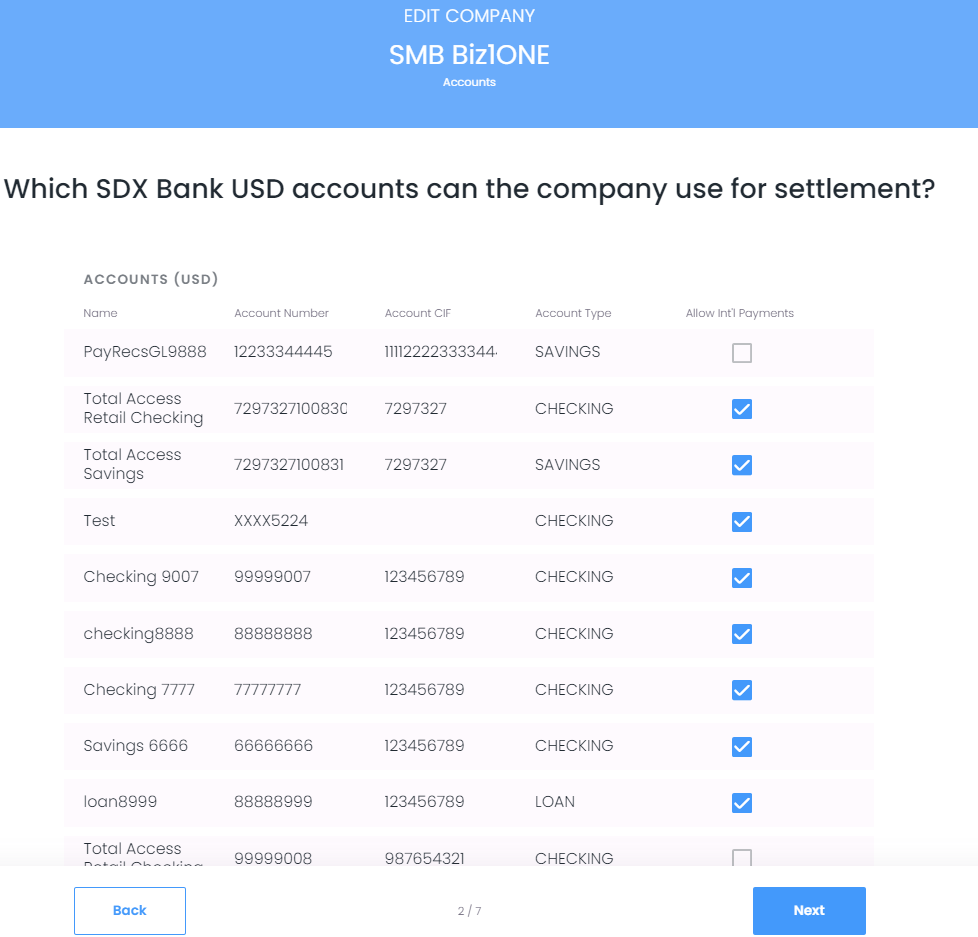
Company Billing and Banking Accounts
You can adjust the company's billing account by entering the account number in the Fee Account Number field.
The settlement accounts in which the client will be able to fund international wires can be selected here. Accounts not selected will not be used for international wires.
Auto conversion account is utilized for Incoming FX wires. Please visit 📄 Incoming Wiresfor more information on incoming wires.
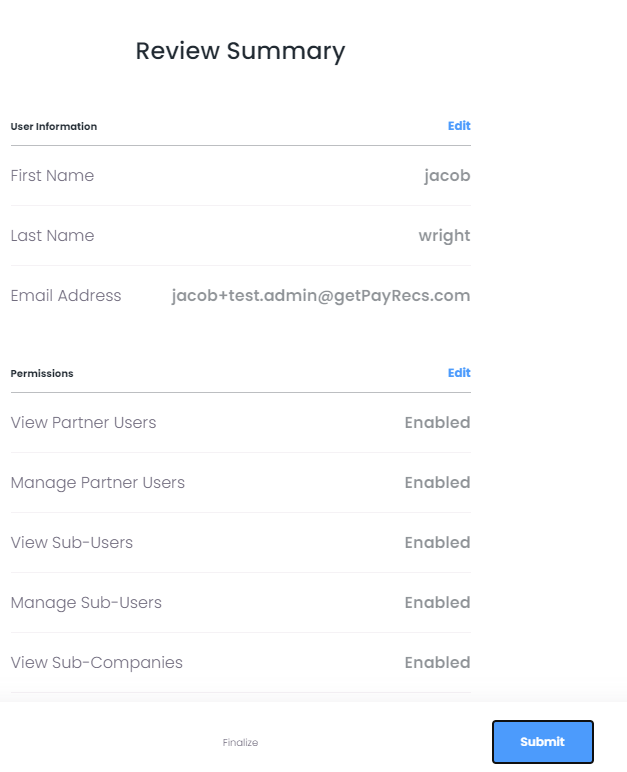
Edit Admin User Permissions
Access Admin User Permissions
To access or change these permissions, login as a "Bank Admin User" by going to: payrecsapp.com.
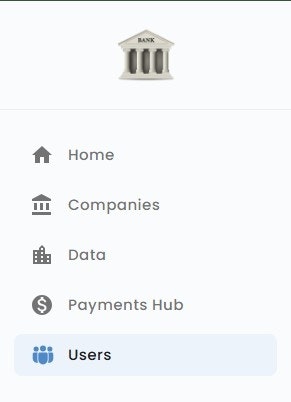
Navigate to the Users menu
Click on the user's name and select "Edit User"
OR
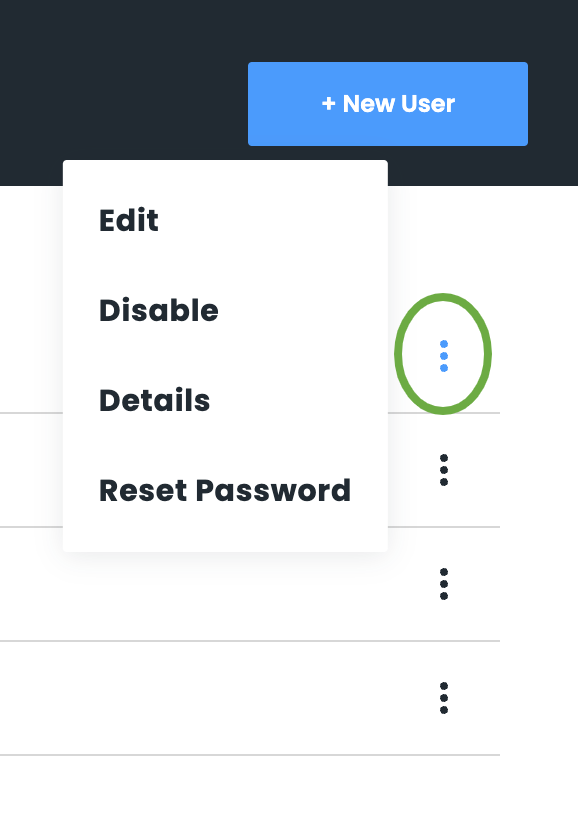
Hover your mouse over the 3 dots on the right side of the user and select "Edit"
Edit necessary user information
Note: Email cannot be changed once the user has set their password.
Reference the Bank admin user permissions and definitions article if needed
Review any changes made and select "Submit" to confirm the changes.