Payments Hub
Last updated: March 18, 2026
The Payments Hub tab will display the payments made by all companies in the Companies tab.
Searchable fields include Payment Id, Sending Company Name, Amount, and Destination(recipient nickname)
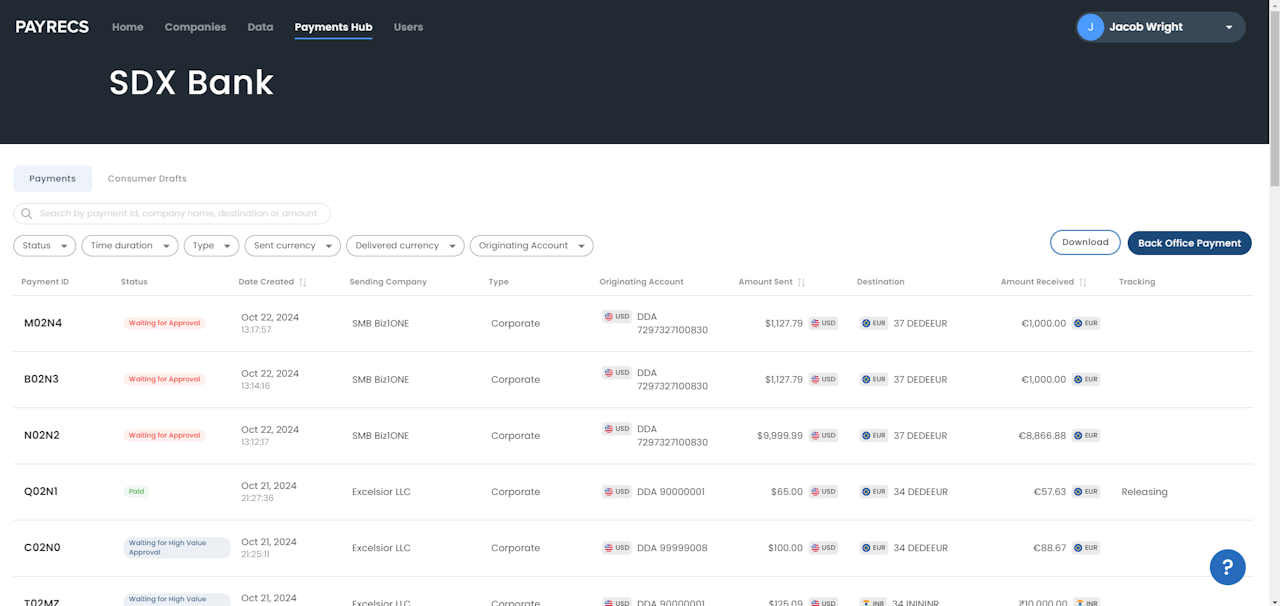
Detailed explanation of the columns
The Payments Hub displays various columns of information. Payment ID, Sending Company, Amount Sent/Received, and Destination are all searchable fields. A detailed explanation of each column can be found below:
Payment ID: Unique identifier for each payment
Status: Status of payment (this column can be filtered)
Date Created: Date and time the payment was created
Sending Company: Company or subsidiary that created the payment
Type: Corporate or Consumer are the types of entities that can send wires
Originating Account: Funding account the payment used (this column can be filtered)
Amount Sent: Payment amount and currency type of the payment created
Destination: Recipient receiving the payment
Amount Received: Payment amount and currency type of the payment received
Tracking: Rail ecosystem of the payment
Initiator: Name of the user who created the payment
Approver: Name of the user who approved the payment (can be the same as initiator)
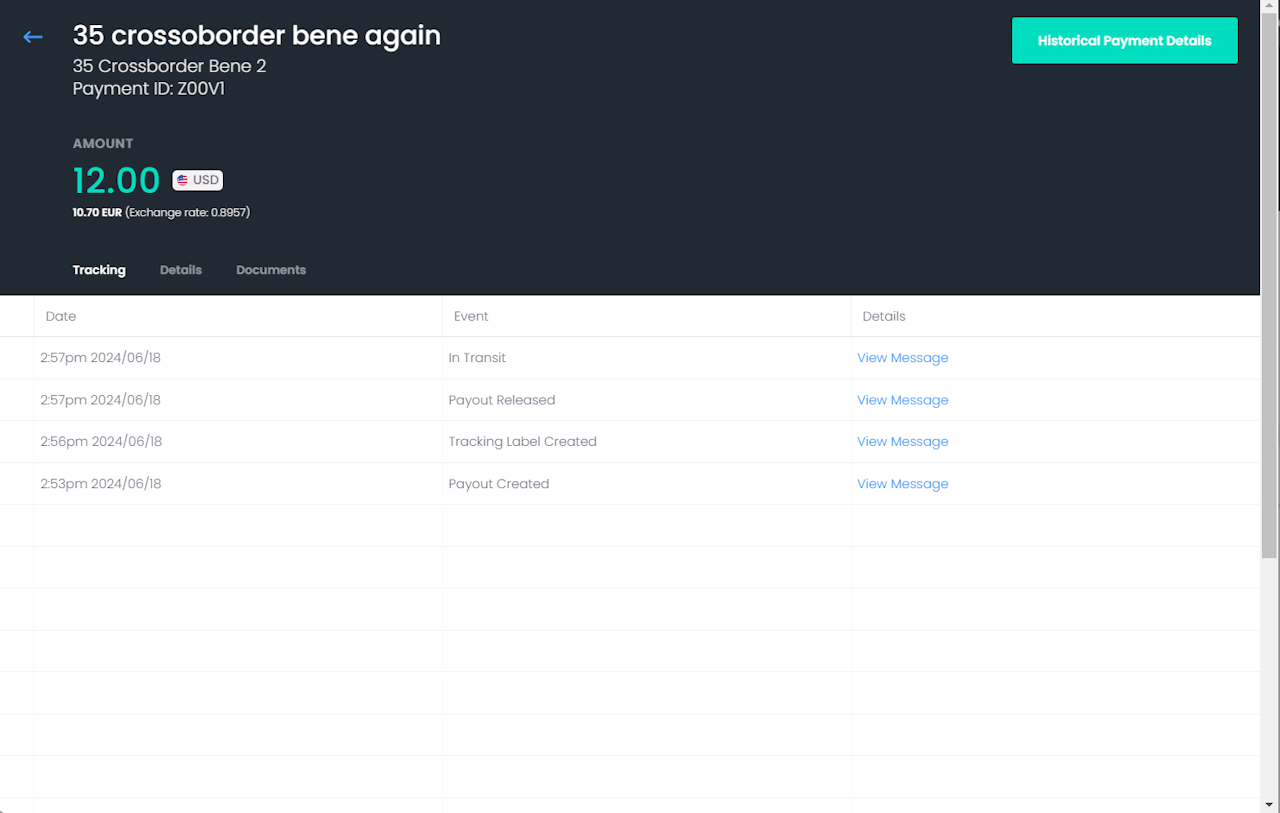
Tracking Details
Clicking on a payment will show tracking details if they are available for the recipient's country (if they are up to the standards in being able to automatically provide it).
Statuses:
Payout Created: Our processor has received the wire information and is processing the wire
Tracking Label Created: Contains the UETR tracking number
Payout Released: Our processor has released the payment
In Transit: The payment is on the way to the recipient's bank
Delivered: The payment has been credited to the recipient's account.